Query and Improve your data using reasoning models and prompts.

Architecture
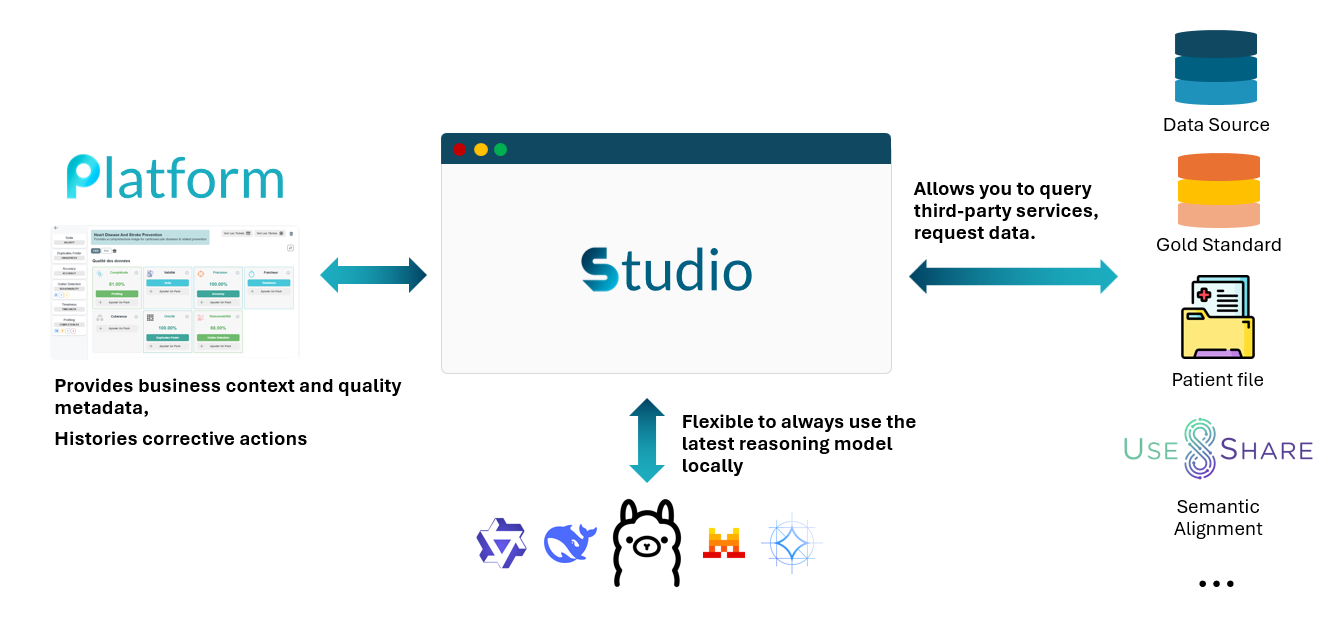
QALITA Studio is an AI-powered conversational interface for data quality analysis, available directly in the Platform web application.
Key Components
| Component | Description |
|---|---|
| Backend Agent | LangGraph-powered AI agent integrated into Platform backend |
| LLM Configuration | Multi-provider AI configuration managed in Platform settings |
| Data Tools | Direct data access via Worker infrastructure |
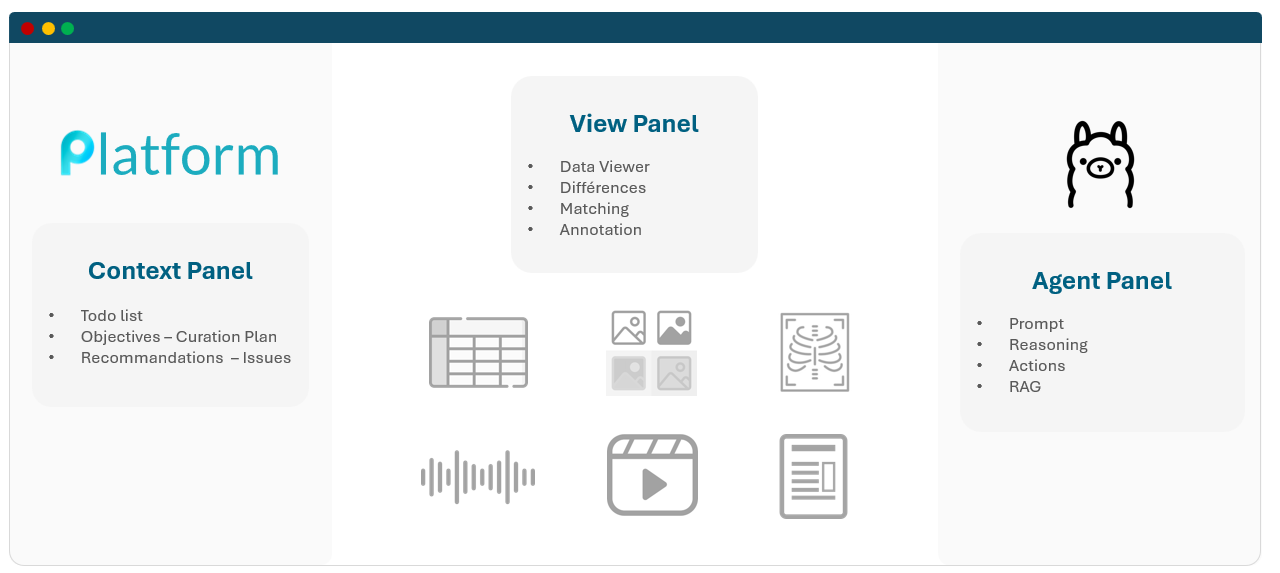
| Frontend Interface | Integrated chat UI in Platform web application |
Studio includes:
- 🤖 LangGraph Agent - Intelligent workflow for data analysis and codification
- 🔧 Data Tools - Execute queries, read data, and describe sources directly
- 🌐 Multi-Provider LLM - Support for OpenAI, Anthropic, Mistral, Ollama, and more
- 💬 Streaming Chat - Real-time response generation with SSE
Studio is a project supported by BPI France and is commercially available since January 2026.

To learn more and stay updated, check out our blog.
🔍 Key Features
QALITA Studio is an advanced conversational interface that allows you to interact with your data quality through language models (LLM).
Multi-Provider Artificial Intelligence
- Local Provider: Use Ollama to run LLM models locally (free, private)
- Cloud Providers: Native integration with OpenAI (ChatGPT), Mistral AI, and Claude (Anthropic)
- Azure OpenAI: Enterprise-grade Azure integration
- Generic Provider: Connect to any OpenAI-compatible API endpoint
Intelligent Data Tools
Studio's agent can interact directly with your data sources through the Worker infrastructure:
- Execute SQL Queries: Run SQL queries on database sources
- Read Data: Preview data from files (CSV, Excel, Parquet) or database tables
- Describe Sources: Get metadata, schemas, and row counts
- Filter & Aggregate: Apply filters and perform aggregations
- Sample Data: Get random samples for analysis
Contextual Enrichment
- Issue Context: Prompts are automatically enriched with issue details (status, scope, recommendations)
- Source Metadata: Automatic access to source configuration and schema
- Quality Metrics: Integration of quality scores and metrics in conversations
- Data Samples: Include data previews in the conversation context
Streaming Mode
- Real-Time Responses: Display model responses as they are generated
- SSE Protocol: Server-Sent Events for smooth streaming experience
- Graceful Fallback: Automatic fallback to chunked delivery if streaming unavailable
QALITA Platform Integration
- Projects & Sources: Direct access to your projects and data sources
- Issues: Automatic context from data quality issues
- Conversation History: Conversations stored per issue and source context
- Multi-tenant: Full partner isolation and role-based access
Use Cases
Quality Issue Investigation
Use Studio to analyze and understand data quality issues detected by QALITA:
- Ask for a detailed explanation of an anomaly
- Get correction suggestions based on actual data
- Explore patterns in your data with direct queries
Source Exploration
Query your data sources naturally:
- "Which columns have the most null values?"
- "Show me a sample of records where email is missing"
- "Explain the structure of this source"
Medical Coding Analysis
Studio includes specialized capabilities for medical data interoperability:
- Identify columns suitable for codification (ICD-10, SNOMED CT, LOINC)
- Generate mapping scripts for terminology standards
- Analyze data patterns for coding opportunities
Documentation Generation
Automatically generate documentation about your data:
- Table and column descriptions
- Quality rule documentation
- Analysis reports
Security and Privacy
- Role-Based Access: Studio respects Platform permissions (
source:get,issue:get) - Partner Isolation: Complete data isolation between tenants
- Local Mode: Ability to use Ollama for fully local processing
- API Key Security: Credentials stored securely in Platform database
Next Steps
- Quick Start - Access and configure Studio in minutes
- Configuration - Configure your AI providers
- Features - Discover all features in detail
- Conversation Management - Learn to manage your conversations